> For the complete documentation index, see [llms.txt](https://docs.oxapay.com/llms.txt). Markdown versions of documentation pages are available by appending `.md` to page URLs; this page is available as [Markdown](https://docs.oxapay.com/welcome-to-oxapay/integrations/plugins/wordpress/kadence-memberships.md).
# Kadence Memberships
## What is Kadence Memberships?
Kadence Memberships, formerly known as Restrict Content Pro, is a powerful WordPress membership plugin that allows you to monetize content access. As a content restriction plugin, Kadence Memberships gives you full control over who can and cannot view content on your WordPress site. As a design tool, Kadence Memberships helps you create pages that dynamically display content based on user role or membership level.
### Key Features of Kadence Memberships:
1. **Membership Levels:** Set access level, duration (in days, months, years), number of renewals, price, signup fee, status, assign WordPress user role. Set any price (including free) or optionally set a sign up fee. Set the frequency and period, and specify a user role that will be assigned to members when they register.
2. **Auto-Created Member Pages:** Pages generated by the plugin include: Registration, Success, Account, Edit Profile and Update Billing Card.
3. **Auto Renewals:** Select to let customer choose whether to auto renew, always auto renew, or never auto renew.
4. **Payment Gateways:** The system supports various payment gateways including OxaPay, PayPal, Authorize.net, Braintree, and Manual Payments. This ensures secure and diverse options for processing transactions.
5. **Member Emails:** Paid membership activation email, free membership activation email, cancelled membership email, expired membership email, payment received email, renewal payment failed email
6. **Upgrade/Downgrade Membership:** Members can easily upgrade or downgrade their subscription at any time. This ensures they have control over their plan.
## OxaPay Plugin For Kadence Memberships
Integrating OxaPay with Kadence Memberships is an excellent way to modernize your payment system and expand your reach. This integration allows businesses to effortlessly accept cryptocurrency payments for membership plans and flexible payment solution.
OxaPay ensures that all transactions are handled with top-tier security, providing a safe and reliable payment experience for both businesses and customers. By enabling cryptocurrency payments in Kadence Memberships, you can attract a audience, simplify payment management, and enhance the overall experience for your members.
## How To Set Up OxaPay Plugin For Kadence Memberships?
1. Log in to your WordPress control panel, navigate to the "Plugins" section, and click on "Add New". Select "Upload Plugin" then upload the "OxaPay" plugin ZIP file ([Click here to download it](https://wordpress.org/plugins/oxapay-crypto-payment-gateway-for-restrict-content-pro/)) and click on the"Install Now" button.
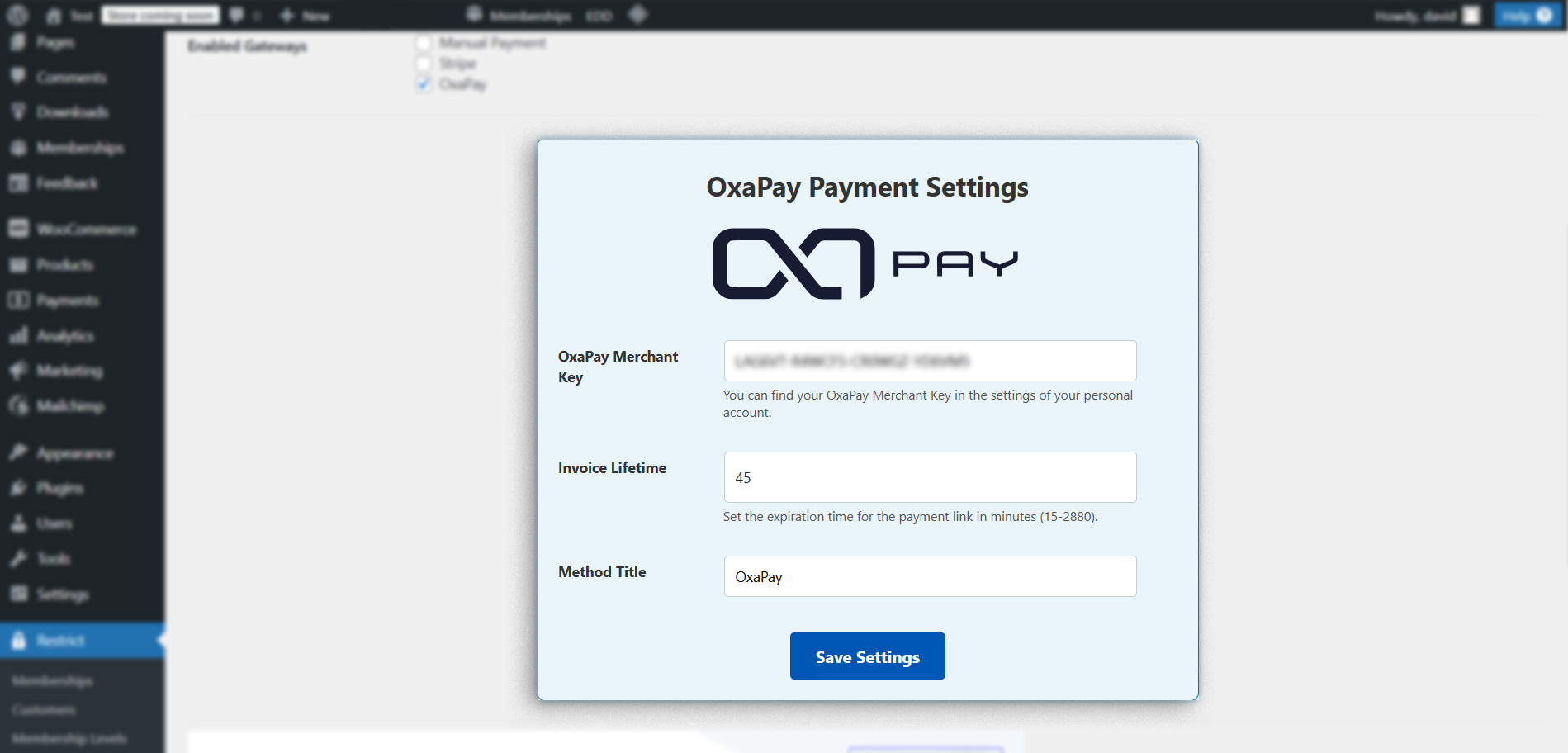
2. After installing and activating the Oxapay plugin, go to the "Kadence Memberships" settings page and click on Payments to enter your OxaPay Merchant API key (You can find this key in your OxaPay dashboard. If you don't have an API key, [click here](https://docs.oxapay.com/integrations/merchant-api) for instructions on how to create one). Complete any other fields. Once all the details are filled in, click "Save Settings" to finalize the setup. (Make sure to check OxaPay in the "Enabled Gateways" section)
**You can install the plugin from the official WordPress.org** [**plugin directory**](https://wordpress.org/plugins/oxapay-crypto-payment-gateway-for-restrict-content-pro/)**.**
We hope you found this article useful! The OxaPay plugin for Kadence Memberships is a powerful tool that can help elevate your business to new heights.